
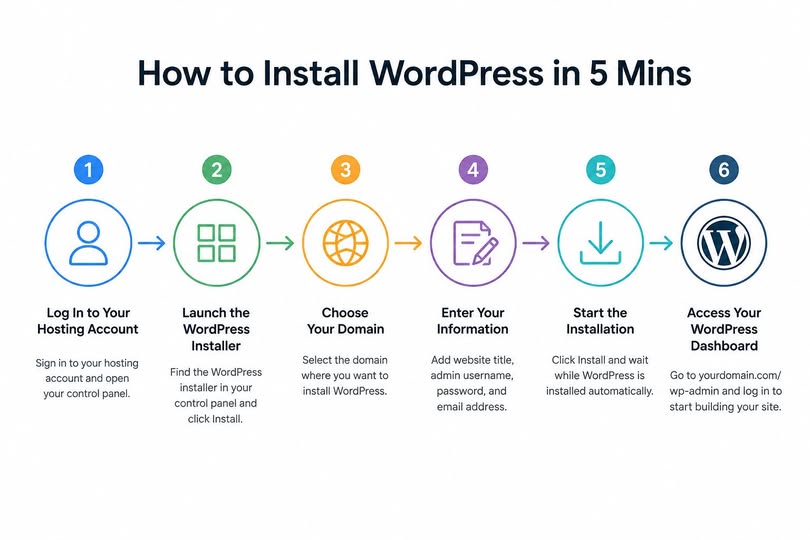
How to Install WordPress in 5 Mins: Step-by-Step Guide for Beginners
If you’re looking for how to install WordPress in 5 mins step by step guide, this tutorial will walk you through the entire installation process. Whether you’re creating your first website, blog, or online store, WordPress can be installed in just a few minutes using your hosting provider’s one-click installer.
Step 1: Log In to Your Hosting Account
Sign in to your web hosting account and open your hosting control panel. Most hosting providers include a one-click WordPress installer that automates the setup process.
Step 2: Launch the WordPress Installer
Locate the WordPress Installer in your hosting control panel and click Install. The installer will guide you through the setup.
Step 3: Choose Your Domain
Select the domain where you want to install WordPress. If you own multiple domains, make sure you choose the correct one before continuing.
Step 4: Enter Your Website Information
Complete the required fields:
Website Title
Administrator Username
Strong Password
Administrator Email Address
Use a unique username and a strong password to improve your website’s security.
Step 5: Start the Installation
Click the Install button. The installer will automatically create the WordPress database, configure the required files, and complete the installation. This usually takes one to five minutes.
Step 6: Access Your WordPress Dashboard
When the installation finishes, open:
https://yourdomain.com/wp-admin
Log in using the administrator username and password you created during setup. You now have full access to your WordPress dashboard and can begin building your website.
Verify Your Installation
Before you start using WordPress, confirm that:
Your homepage loads correctly.
You can access the WordPress admin dashboard.
The login credentials work successfully.
HTTPS (SSL) is active if your hosting provides a free SSL certificate.
Install WordPress in Less Than 60 Seconds with SpeedX Hosting LLC
If you’re a SpeedX Hosting LLC client, installing WordPress is even faster. Simply log in to your Client Area, open your Hosting Control Panel, launch the 1-Click WordPress Installer, choose your domain, and click Install. Your WordPress website will be ready in less than 60 seconds, allowing you to start building immediately.
Start your WordPress journey today with our fast and reliable WordPress hosting plans:
https://speedxhosting.com/wordpress-hosting